Attention Moon Landing Deniers!

Healthy scepticism is important, and questioning what we’re told is a vital part of being human. But when it comes to the Moon landings, the evidence is so overwhelming, so beautiful in its scale and collaboration, to deny it is laughable.

Let’s start with this: the Apollo missions weren’t just a few astronauts and a secretive NASA control room. They involved over 400,000 people, scientists, engineers, programmers, builders, planners, many of whom weren’t even working in the same place or under the same leadership. To fake something of that size, and keep it hidden for over half a century, would require a conspiracy larger and more intricate than anything the world has ever seen. And that kind of silence? It just doesn’t happen!

But it’s not just about the people involved. We brought back rocks. Moon rocks. Not pebbles anyone could fake in a lab, but samples that have been studied and confirmed by independent scientists all over the world, including those in countries that weren’t exactly friendly with the USA at the time. These rocks are unlike anything we’ve found on Earth: their composition, age, and exposure to cosmic radiation tell a story that only the Moon could have written.

And then there’s the technology. Space agencies in other countries, Russia, China, India, have tracked and mapped the Moon using their own satellites. They’ve seen the sites. Some of these spacecraft have even captured images of the Apollo landers still sitting there, untouched, in the grey lunar dust. The reflectors the astronauts left behind still bounce laser beams back to Earth. You can test it yourself, if you’ve got access to the right equipment.

I understand the mistrust that fuels conspiracy theories. We live in a world where institutions have sometimes failed us, where secrets get kept and stories get twisted. It makes sense to wonder. But the Moon landings aren’t a lie. They’re one of humanity’s greatest stories, of courage, intelligence, teamwork, and imagination.

To believe we didn’t go sells short what we’re capable of. It turns a collective triumph into a cynical illusion. And maybe most tragically, it robs us of wonder. Because when we look up at the Moon, knowing we’ve stood there, not once, but six times, we get to feel something rare and precious – AWE!

And I don’t want to give that up!

0patch Windows 10 EOS

0patch is a third-party security patching solution developed by Acros Security that offers micropatches, tiny, targeted fixes, to address vulnerabilities in software. Unlike traditional patching methods, which typically involve large update packages and system restarts, 0patch works by injecting small patches into a program’s memory during runtime. This allows vulnerabilities to be fixed almost instantly, often without requiring a reboot or the involvement of the software vendor. Its name zero patch reflects its goal of providing near-zero-impact security fixes.

0patch has become particularly significant in the context of Windows 10 reaching End of Support (EOS). Microsoft officially ended support for certain Windows 10 versions (like 21H2) in October 2023, and broader EOS is scheduled for October 2025. After EOS, systems no longer receive security updates from Microsoft, leaving them vulnerable to newly discovered threats. This is a serious concern for users and organizations that rely on hardware or software which cannot be easily upgraded.

Here’s where 0patch steps in. For a subscription fee, 0patch offers continued security patching for unsupported Windows versions, including Windows 7, Windows Server 2008 R2, and now Windows 10 post-EOS. It works by identifying vulnerabilities disclosed publicly or discovered through other means and deploying tiny patches to neutralize them. These micropatches are thoroughly tested and deployed much more quickly than vendor-issued updates, often within hours or days of a vulnerability becoming known.

For Windows 10 users facing EOS, 0patch offers a practical alternative to either upgrading immediately or running the system without protection. Many legacy applications or custom setups can’t run smoothly on newer Windows versions, and hardware limitations may prevent upgrading to Windows 11. In such cases, 0patch allows continued use of existing systems while maintaining a good level of security.

One of 0patch’s key strengths is its agility. Since micropatches are injected in-memory, they do not modify system files or binaries on disk. This means that patches can be added or removed almost instantly, without leaving a footprint, and without the risk of breaking unrelated functionality. For administrators managing large networks of legacy machines, this flexibility is invaluable.

However, it’s important to note that 0patch isn’t a complete substitute for vendor support. It focuses solely on security vulnerabilities and doesn’t provide feature updates, driver support, or compatibility improvements. Nor does it cover every possible security hole; its team selects which vulnerabilities to patch based on severity, exploitability, and relevance to its user base.

Despite these limitations, 0patch is increasingly viewed as a lifeline for those caught in the gap between end of vendor support and the practical realities of upgrading. It enables organizations to extend the safe use of systems beyond official support windows, without incurring the massive cost of replacing hardware or rewriting software prematurely. For users of Windows 10 post-EOS, 0patch may be the bridge they need to transition securely and on their own schedule.

See also: Windows is NOT the only OS

Windows is NOT the only OS

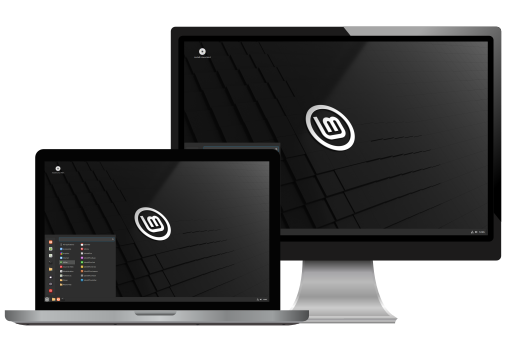
If you’re looking to revive an old computer or laptop you might like to consider an alternative operating system (OS). One that I use regularly on an old laptop is Linux Mint.

Linux Mint is a free, open-source operating system based on Ubuntu (or Debian in its alternative version), designed to be easy to use, reliable, and powerful. It’s particularly popular among users switching from Windows due to its familiar desktop layout and user-friendly interface. One of its core goals is to provide a complete out-of-the-box experience, meaning it comes pre-installed with essential software like a web browser, media players, office suite, and tools for everyday computing needs.

There are three main editions of Linux Mint, each using a different desktop environment: Cinnamon, MATE, and Xfce. Cinnamon is the flagship edition, offering a sleek, modern look with advanced features while staying lightweight and responsive. MATE and Xfce are aimed at users who need even lighter systems, especially for older hardware, while still maintaining a polished and functional interface.

Linux Mint emphasizes stability and simplicity. It uses the Linux kernel and a package management system that allows for secure, quick installation and updating of software. Its Update Manager is particularly praised for giving users more control over what updates are applied, allowing for a balance between cutting-edge features and system stability.

Security and privacy are also important aspects. While Linux in general is less vulnerable to malware than other operating systems, Linux Mint adds further layers of security through regular updates and strong community oversight.

The Linux Mint community is large and active, offering forums, documentation, and tutorials for users of all experience levels. Whether you’re a beginner or an experienced Linux user, Linux Mint provides a clean, consistent, and customizable environment that supports a wide range of use cases, from daily computing and programming to media production and education. Its commitment to user experience makes it a top choice among modern Linux distributions.

See also: 0patch Windows 10 EOS

Windows 10 End of Support

Using Windows 10 after its End of Support (EOS) on October 14, 2025, is still possible, but it comes with significant risks and limitations. The system won’t stop working, but Microsoft will no longer provide security updates, bug fixes, or technical support, leaving users more vulnerable to cyber threats.

For many, continuing to use Windows 10 is a matter of necessity. Older hardware may not meet Windows 11’s requirements, and some users prefer the familiar interface or rely on legacy software. If upgrading isn’t an option, it’s important to reduce risk. Limit internet use, especially browsing and downloading files, since these are common entry points for malware. Isolating your computer from the internet entirely, if possible, is even safer.

Keeping third-party applications updated becomes more important than ever. Supported browsers and antivirus tools can help extend the usable life of your system, but over time, even those will phase out support. Using strong security software, practising safe browsing habits, and regularly backing up data are essential.

For those who must use Windows 10 for specific software or hardware, running it in a virtual machine on a newer host system is a good alternative. This allows access to older tools without exposing the outdated OS to the internet directly.

Another option is switching to a Linux-based operating system. Distributions like Linux Mint or Zorin OS are user-friendly and can run on older hardware, offering a more secure and up-to-date environment. However, this might not be practical for everyone, especially if certain Windows-only applications are necessary.

Microsoft may offer extended security updates for a fee, but that likely targets businesses rather than home users. Ultimately, while using Windows 10 past 2025 is feasible, it’s a short-term solution. Taking steps now to plan your next move, whether it’s upgrading, switching systems, or isolating your machine, will help ensure you stay safe and productive after official support ends.

In readiness for Windows 10 EOS, I’ve strengthened my antivirus protection and installed a VPN (Virtual Private Network), along with 0patch Agent for Windows.

Books Read in 2024

Not as many books read as I’d hoped, as my aim was 24 in 2024.

The Hobbit (J. R. R. Tolkien)
I enjoyed listening to this while walking Rufus.

Everything Is F*cked (Mark Manson)
Don’t be put off by the title, an excellent book to guide you through life and manage your expectations and mental health.

Tin Men (Christopher Golden)
Great science fiction with a good human element and twists.

Alien (Alan Dean Foster)
A novel based on the movie, what happens when you don’t listen to a smart woman with a cat.

She/He/They/Me (Robyn Ryle)
An interactive book that guides you through the issue of gender, your journey depends on your answers to questions.

Wrong Place Wrong Time (Gillian McAllister)
A journey backwards in time to understand a murder.

Eating Robots (Stephen Oram)
Short stories that anticipate the near future of technology, often shocking.

Biohacked & Begging (Stephen Oram)
Another series of short stories to pull you up sharp and challenge your thinking.

Fathomless Riches (Rev. Richard Coles)
A brutally honest autobiography that covers attempted suicide, time in a mental hospital, London’s gay scene, drugs, pop stardom, broadcasting, writing, and life as a vicar – and that’s just for starters! Not for the easily offended.

Beyond the Burn Line (Paul McAuley)
A science fiction novel set in the distant future that addresses big issues. I rarely give up on a book but, like many other people, I gave up with this one. My advice, avoid like the plague!

How to Sleep Well (Dr. Neil Stanley)
An excellent book covering all aspects of sleep.

Aliens (Jim Al-Khalili/Editor)
A comprehensive study about the possibility of life elsewhere in the universe from a variety of authors and experts.

Night Sky Almanac 2024 (Storm Dunlop & Wil Tirion)
This is a yearbook I wouldn’t be without; each year’s edition is always by my side.

So, my aim is now at least 25 in 2025, and I’m off to a good start.

Ed Balls Day (2011)

13062125_909226729186952_4467546217560951853_n

Ed Balls Day is a bit of fun and the stuff of nonsense. It celebrates and remembers the day (28 April 2011) when British politician Ed Balls tweeted his name thinking he was entering it into a search box.

Since then […] every year Twitter rejoices in the madness of the internet gaffe and marks Ed Balls Day. Source

A simple mistake has made him the Patron Saint of Simple Mistakes. To his credit, he hasn’t deleted the tweet, it remains on Twitter in all its pomp and glory, although at the time he didn’t know it was possible to delete them.

It’s a day to look forward to, it’s a day to enjoy with family and friends, it’s a day to share with others. It’s a day that unites everyone. Whatever your race, colour, or creed, everyone can enjoy Ed Balls Day.

Some bemoan the fact that’s it’s become too commercialised these days, having lost its true meaning. So, however you celebrate, make sure it’s significant.

Yes, it’s a bit of fun, but at its heart is the positive affirmation of simple mistakes and a willingness to own them.

Don’t pay if it’s already yours!

You’d never keep paying for something you’d already paid for, or would you? Actually, lots of people do continue to pay for their smartphones even after they’ve been paid off in full.

For example, you take out a contract for two years and at the end of this period you’ve paid off the cost of the handset. But, unless you change the contract, your provider will continue to charge you for the phone.

For me, it was a simple process (involving just a few clicks) to switch to a SIM only contract and save myself money. Ask yourself, do I really need the latest handset?

Living in a Social Media Bubble

Oxford Dictionaries decided that the word post-truth (or is that two words?) should be Word of the Year for 2016. They defined it as an adjective ‘relating to or denoting circumstances in which objective facts are less influential in shaping public opinion than appeals to emotion and personal belief’. Two major news events of 2016 illustrated how untruths (or should I just say lies?) were an illustration of this; namely, the debate prior to the UK referendum vote to leave the European Union and the campaign that resulted in the election of Donald Trump in the United States of America.

Many people were surprised by these two events, and one explanation is the so-called social media bubble. This is a phenomenon which links us to like-minded friends and others, sharing and liking similar news stories, views, and opinions. The algorithms of Facebook (and the like) can decide our friends for us, as those with similar views. Yes, this goes on in the everyday world, but the effect is magnified by the very nature of the medium. It’s like living in an echo chamber.

Many were surprised by Brexit and Trump because they weren’t aware of many people who favoured them. They just weren’t in their circle of friends, or they possibly kept quiet. Add to this the problem of hoaxes, fake news and unreliable quotes, and things can get quite messy. What is truth in a post-truth world after all? Falsehoods are easily spread by people unwilling (or too busy) to make a simple check of their veracity. Google can be your friend, or possibly your false-friend, who knows anymore?

In the space of two days I heard both Brian Eno and Laurie Anderson speak about the feature on Amazon that shows what other people bought after you’ve made a purchase. Another example of the bubble effect? Wouldn’t it be better to have a reverse filter suggesting what they didn’t buy? We can so easily inhabit an echo chamber.

Shouldn’t we be reaching out those with different opinions to our own and seeking to understand?

Breathe: Breathing Exercises

Sadly, anxiety, depression, and other mental health pressures are constant companions in the modern world, and no one is immune from these unwelcome visitors. So, anything that can boost our mood is welcome.

Breathe is a free Android app (with no adverts) that I find beneficial. Breathing exercises are a helpful way of relieving anxiety and stress, and this app helps you tackle them. The app is great for keeping calm and promoting sleep and provides daily reminders and encouragement for hitting monthly goals and the like.

If you like the app there’s an option to support its development with affordable ranges of one-off payments or a monthly subscription.

Simplenote: Simple Publishing

Simplenote is a cross-platform app/website that has one feature that is especially useful. You can use it to publish a page on the web with a simple click, share the link with your audience, and remove the page just as easily at any time. But it’s far more than that and can be used for a variety of purposes.

Notes stay updated across all your devices, automatically and in real time. There’s no “sync” button: It just works. Add tags to find notes quickly with instant searching. Share a to-do list, post some instructions, or publish your notes online. Notes are backed up with every change, so you can see what you noted last week or last month. Write, preview, and publish your notes in Markdown format. Apps, backups, syncing, sharing – it’s all completely free. Source

If you’re not using Simplenote, you’re missing out. TechCrunch